
What one call sends and returns
Inkstep is an app where people practise writing in English; Nora is building its "Check my writing" button. Here is the paragraph from the video, by a learner in São Paulo who chose Portuguese for her explanations. The task was "Describe your last weekend", and she wrote 63 words:
Last weekend I go to the beach with my friends. We was very happy because
the weather was sunny. I eated a grilled fish and we played volleyball until
the night. In the evening we returned to home and I watched a film in my
sofa. I am very tired, but it was a amazing weekend and I want to repeat it
soon.
And the reply to Nora's first call, one line ("Correct this paragraph:") in front of it:
Last weekend, I went to the beach with my friends. We were very happy because
the weather was sunny. I ate grilled fish, and we played volleyball until
nightfall. In the evening, we returned home, and I watched a film on my sofa.
I was very tired, but it was an amazing weekend, and I want to do it again soon.
The reply fixes every real mistake and is still unusable: it is a new paragraph, not a list of changes, and it silently changed "I am very tired" to the past.
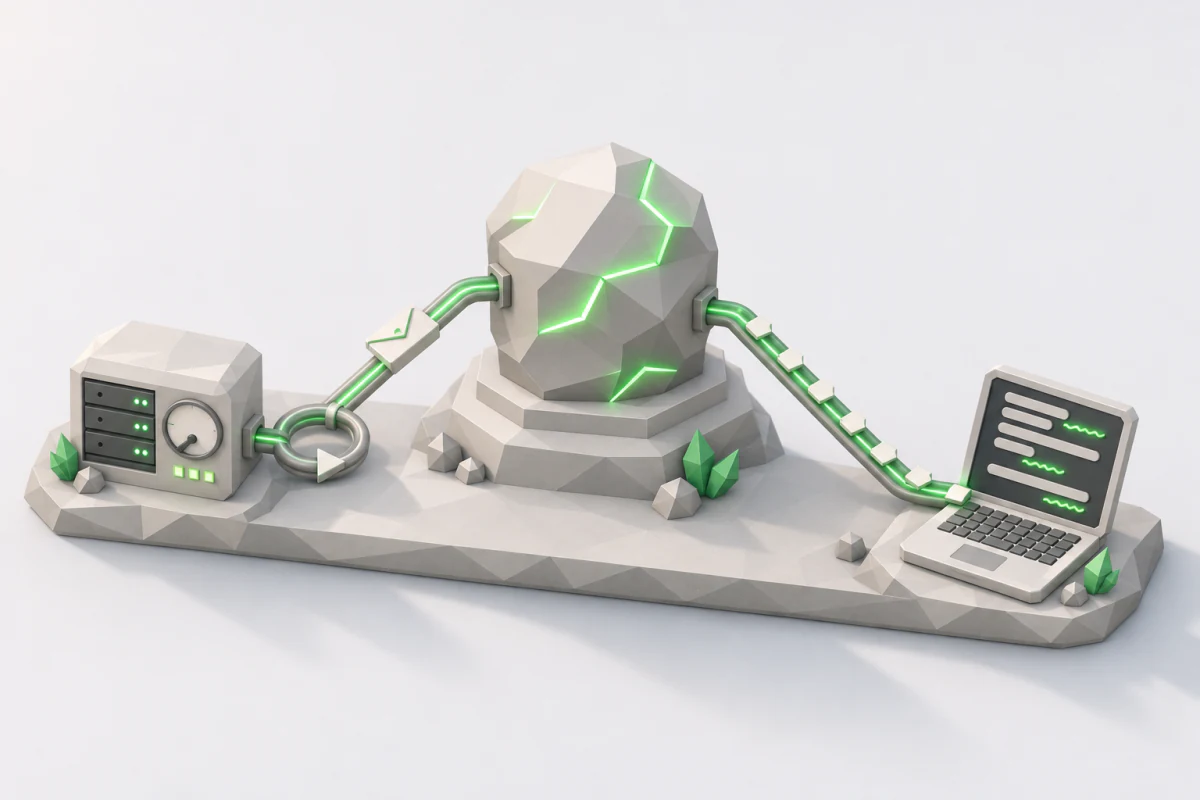
One picture stays the same through the whole course: the path of one check, from the learner's tap to the answer.
the learner's screen        Nora's server              the provider
+---------------------+     +-------------------+      +-----------+
| the paragraph       |     |                   | ---> |           |
| [Check my writing]  | --> |  (empty for now)  |      |   model   |
|                     | <-- |                   | <--- |           |
+---------------------+     +-------------------+      +-----------+
                              request goes out  ->  <-  response comes back
A check is one run of "Check my writing": one request, one response. Nora's server is empty today. Each part of the course adds one box to it.
What One Request Contains
A request is one HTTP call to the provider. Here is Nora's, written with curl so that nothing is hidden:
curl https://api.openai.com/v1/responses \
  -H "Authorization: Bearer $OPENAI_API_KEY" \
  -H "Content-Type: application/json" \
  -d '{
    "model": "gpt-6.1-sol",
    "input": "Correct this paragraph:\n\nLast weekend I go to the beach with my friends. ...",
    "max_output_tokens": 1500,
    "store": false
  }'
The URL names OpenAI's current API for generating text, the Responses API. The Authorization header carries Nora's secret API key, read from an environment variable so it never appears in code. The body is a JSON document with four fields:
modelpicks the model. In this course a model is a service that reads text and writes text, billed by the token. Inkstep starts on the provider's mid-size model.inputis the text the model reads. Here it is one string: the instruction line, a blank line, and the learner's paragraph.max_output_tokensis the most the model may write in this call: 1,500 tokens.store: falseturns storage off.
The third field needs a word the whole course uses. A token is a piece of text, about four characters of English, and the unit the provider counts and charges for. In the specimen, " weekend" (with its space) is one token, while the learner's "eated" is two, " e" and "ated". The provider cuts the text, counts the pieces and bills them.
the specimen paragraph   305 characters, 70 tokens
characters per token     305 / 70 = 4.36
The count was made locally with o200k_base, the tokenizer whose counts, plus a fixed 6 tokens of framing, matched the provider's bill in the course's lab. "About four characters" is a rough guide, close enough to estimate a bill, never to set a limit.
And the fourth field. By default, OpenAI keeps every response so you can fetch it later: the "response data will be stored for at least 30 days". A learner's writing is personal, some learners are children, and Inkstep never needs a response back. So every check sends store: false.
Recap. A request is a JSON document you can read line by line: which model, what it reads, how much it may write, and whether the provider keeps it.
What Comes Back
A response is the answer to one request. Before you look at it, a prediction. The response holds the model's reply. Is the reply the whole response?
Here is the response to Nora's call, captured with curl in the course's lab on November 4, 2026. Some fields are cut where marked:
{
  "id": "resp_0849b66fb06e06ba016aeb21f2b37c87d1831aaf268cd269d9",
  "status": "completed",
  "incomplete_details": null,
  "model": "gpt-6.1-sol",
  "output": [
    {
      "id": "msg_0849b66f...",
      "type": "message",
      "status": "completed",
      "content": [
        { "type": "output_text", "annotations": [], "logprobs": [],
          "text": "Last weekend, I went to the beach with my friends. ..." }
      ],
      "phase": "final_answer",
      "role": "assistant"
    }
  ],
  "reasoning": { "context": "all_turns", "effort": "medium", "mode": "standard", "summary": null },
  "store": false,
  "temperature": 1.0,
  "text": { "format": { "type": "text" }, "verbosity": "medium" },
  "top_p": 0.98,
  "truncation": "disabled",
  "usage": {
    "input_tokens": 80,
    "input_tokens_details": { "cache_write_tokens": 0, "cached_tokens": 0 },
    "output_tokens": 77,
    "output_tokens_details": { "reasoning_tokens": 0 },
    "total_tokens": 157
  },
  ...
}
No. The text is there, deep inside: output, then the first item, then content, then text. The full response has 38 top-level fields, and the text is inside one of them.
Output Is a List of Items
output is an array. Each entry is an output item, and each item has a type. Nora's first call has one item, of type message, and its content holds the text.
Now the second call, the one with the setting that made the model work harder. Same request, same 61 words of text, and a different output:
"output": [
  { "type": "reasoning", "summary": [] },
  { "type": "message", "role": "assistant", "status": "completed",
    "content": [{ "type": "output_text", "text": "Last weekend, I went to the beach ...", "annotations": [] }] }
]
So the second prediction: is the first item the text? Here it is not. The first item holds the model's hidden work before the answer, and it carries no text you can show. All three runs at this setting had this shape. Code that reads output[0].content[0].text works on the first call and throws on the second.
The position also changes with the request. Inkstep's full check, built later in the course, runs at the default setting and still reasons before answering on most calls (80 of 90 in the lab), so its output usually starts with a reasoning item. Other types exist too: a refusal is a content part of its own, and features that call tools get tool items. Never assume a position. Read items by their type, or use the SDK's shortcut, response.output_text, which joins the text of every output_text part in order.
The Response Is More Than the Text
You might expect the response to be the text with some wrapping. That is wrong, and the mistake costs real money later. Look at what else is in it:
statussays whether the text is complete.incomplete_detailssays why, when it is not.usagesays how many tokens the call read and wrote, which is what you pay for.modelsays which model answered.
The text alone tells you none of these. Half a sentence looks like a sentence, and a reply that cost a quarter of a cent looks exactly like one that cost a tenth. The text is one field; the fields around it say whether you may use it and what it cost.
The Response Echoes Every Setting
Nora sent four fields. The response came back with every setting the call ran with, including ones she never sent: reasoning.effort: "medium", temperature: 1.0, top_p: 0.98 (not 1.0), text.verbosity: "medium", truncation: "disabled". These are the provider's defaults, and they can change from one model to the next. Read your defaults off the response, not from memory.
Recap. A response is a document with many fields. The text sits inside an output item of type message, and other items can come before it. status, usage and model sit beside the text and say what the text alone cannot.
Why It Stopped
Nora's response says "status": "completed" and "incomplete_details": null. The model wrote its answer and stopped on its own. Is that the only way a call ends?
Change one field and see. Set max_output_tokens to 30, ask for 200 words, and send it. Before you read on, predict: does the call fail with an error?
It does not. The lab ran exactly this test call on the small model, with its hidden work turned off so that every token was visible. Python SDK, November 2026:
[prose] status=incomplete incomplete_details=IncompleteDetails(reason='max_output_tokens') usage=30 out (0 reasoning)
   text='Cast iron skillets are valued for their durability, versatility, and excellent heat retention. Made by pouring molten iron into a mold, they'
The HTTP status was 200. There was no error and no exception. The text ends in the middle of a sentence, at "they". Only two fields say something went wrong: status is "incomplete", and incomplete_details.reason is "max_output_tokens". The model reached the cap, and the provider stopped it there.
A 200 means the provider handled the request; whether the answer is complete is in the body. Code that only reads output_text shows the learner half a sentence, under a status code that says everything is fine.
The concept is the stop reason: why the model stopped writing. Every provider reports it, under different field names. On OpenAI's Responses API the fields are status and incomplete_details. Inkstep says a check that stopped at the cap was cut off.
Two more ways a call can end, one sentence each for now:
- When the model does hidden work first, the cap can be used up before it writes a single visible word, and the text comes back empty. Inkstep's own long-essay check does exactly this in shape is not truth.
- A model can decline to answer. That is a refusal: it arrives as a normal 200 response, with a content part of type
refusalin place of the text. The same lesson handles it.
Why a cap of 1,500? A cap is a promise about the worst case. Without one, a call can write up to the model's own maximum, and you pay for every token. Inkstep's full check, built later, writes about 500 output tokens, and a long paragraph more than twice that, so 1,500 leaves room.
Recap. Read why it stopped before you read the text. A cut-off answer arrives as a 200 with status: "incomplete", and its text looks almost normal.
The Takeaway
What came back from Nora's call was a document of 38 top-level fields, with the text inside a message item, sometimes after a reasoning item.
- A request is a JSON document:
model,input,max_output_tokens, andstore: falsefor writing that should not be kept. - The text is in an output item of type
message. Read items by type, never by position, or useoutput_text. - Read why it stopped first. A cut-off answer is a 200 with
status: "incomplete".
The one sentence to keep: read why a call stopped before you read its text, because a cut-off answer still arrives as a 200.
An open question to carry forward: Nora's second call wrote the same 61 words, and it cost almost three times as much. Where did that money go? That is the next step, same words, three times the bill.
References
Provider documentation (checked 2026-11-03):
- Responses API reference: create a response (OpenAI): the request fields,
store("response data will be stored for at least 30 days"),max_output_tokens,reasoning.effort, and the output item types - API reference overview (OpenAI):
Authorization: Bearer, thex-request-idheader, "OpenAI recommends logging request IDs in production deployments."
Lab runs (Apple M1 Max, Node 24.14.1 with openai 7.39.0, Python with openai 3.45.0, 2026-11-03 and 2026-11-04):
- Nora's first call, exactly as shown, 3 runs with
curlongpt-6.1-sol: 2.07, 2.17 and 2.40 s; 80 input tokens, 77 or 78 output, 0 reasoning, onemessageitem, the same 61-word reply - The same call through the SDK, streamed, 3 runs at each effort (
gpt-6.1-solatlow,medium,high;gpt-6-lunaatnone,low): the effort table in same words, three times the bill; onlyhighreasoned (172, 126 and 152 tokens) and returned a reasoning item - Inkstep's full check on 30 learner texts, 3 runs each,
gpt-6.1-sol: reasoning 175 tokens atmediumand 0 atlow(medians), 11.8 s and 7.3 s per check - The cut-off at
max_output_tokens: 30,gpt-6-luna, effortnone, Python SDK - The 6 framing tokens on a single string input, measured against
usage.input_tokensand the token counting endpoint - The specimen's token count:
js-tiktoken1.0.21 witho200k_base, run locally (no API call)
Pinned packages: openai 7.39.0, zod 4.6.7, Node 24.14.1.