What a queue promises
Asha buys something from an online shop. Her order is order 4127. A few seconds later she expects an email: "Order 4127 is confirmed."
The shop does not send that email itself. It sends it through an email provider, an outside company with its own API. One send call takes about 700 ms. The provider accepts at most 100 emails a second from the shop. And sometimes the provider is down for a minute or two.
Here is the puzzle for this lesson. During a sale, the shop takes 40 orders a second. In the middle of the sale, the provider goes down for 90 seconds. How do you keep every checkout fast and successful, and still get every customer their email, once?
By the end you will have an answer. You will also know exactly where that answer stops being true, and why no design can push it further.
| Thing | Value |
|---|---|
| Asha's order | order 4127 |
| normal traffic | 5 orders a second |
| sale peak | 40 orders a second |
| checkout, without the email | about 300 ms |
| one send call to the provider | about 700 ms |
| provider limit | 100 emails a second |
| provider outage in this lesson | 90 seconds, during the sale peak |
The Email Inside Checkout
Start with the obvious design. Checkout saves the order, charges the card, calls the provider to send the email, and then answers Asha.
The first cost is time. Asha waits for the email call on top of everything else:
checkout time = checkout work + one send call
              = 300 ms + 700 ms
              = 1,000 ms
Checkout is now more than three times slower, and most of that time is spent waiting for a company the shop does not run.
The second cost is worse. When the provider is down, the send call fails. By that moment the order is saved and the card is charged, but checkout still answers with an error. Asha sees "something went wrong" for an order that went through.
During a 90 second outage at the sale peak, that happens to every customer:
failed checkouts = orders per second x outage length
                 = 40/s x 90 s
                 = 3,600 customers charged and then shown an error
Some of those 3,600 people will try again and pay twice. Others will contact support. An outage at a company you do not control has become an outage of your checkout.
The general rule: when a request calls another service and waits for it, the request inherits that service's latency and its failures.
Why a Queue Fixes It
Look at what Asha actually needs at the moment she pays. She needs to know the order is saved and paid. She does not need the email to have left the building. She needs a promise that it will.
So split the work into two parts:
- Accept the work. Checkout writes a short note, "send the confirmation for order 4127", to a place that will keep it. Then checkout answers Asha.
- Do the work. Separate machines, the email workers, read those notes and call the provider, at the provider's pace.
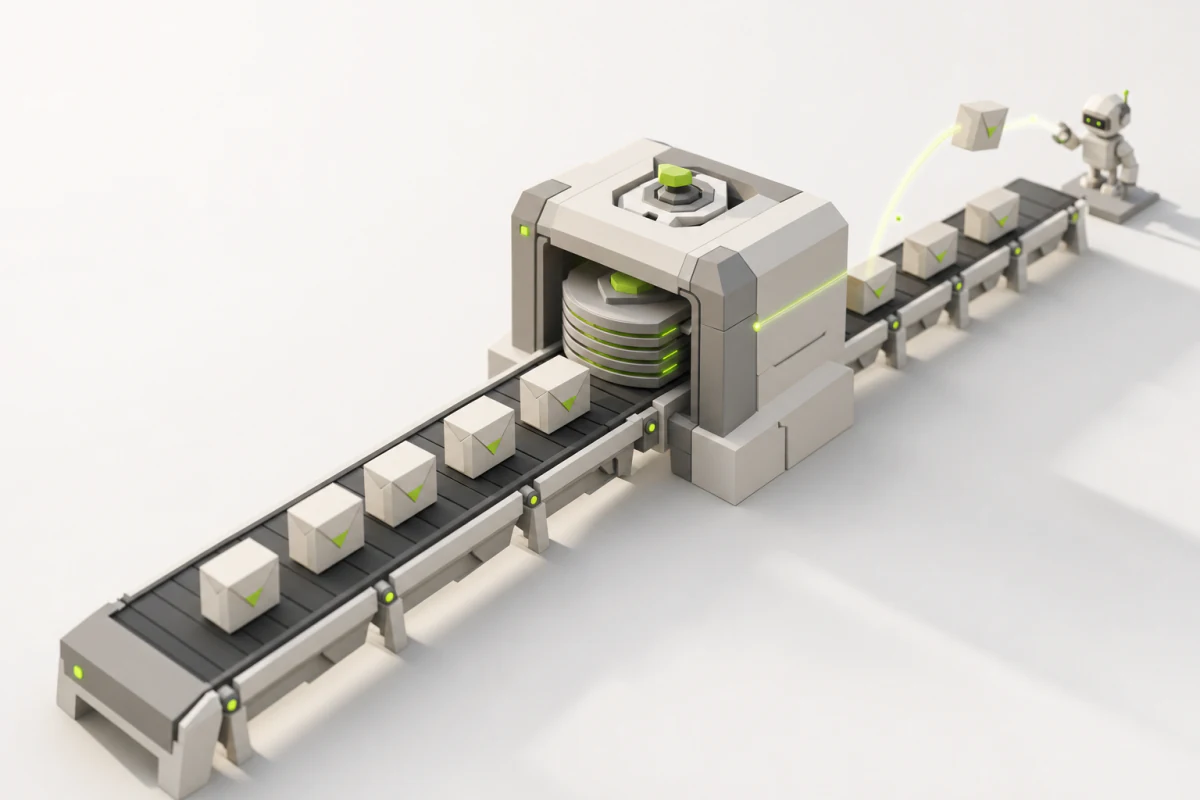
The note is a message. The place that keeps messages is a queue, and the server that runs it is the broker. Checkout, which calls send, is the producer. An email worker, which calls receive, is a consumer.
The broker is the shop's own server, on the shop's own network. Handing it a message is a short local call, not a 700 ms trip to an outside company. So checkout goes back to about 300 ms.
Now replay the outage. The provider is down for 90 seconds. Checkout does not call the provider, so checkout does not notice. Every order succeeds. The emails wait in the queue:
waiting at the end of the outage = 40/s x 90 s = 3,600 messagesWhen the provider comes back, the workers send as fast as the provider allows, 100 a second, while new orders still add 40 a second. The waiting line, the backlog, shrinks by the difference:
drain rate    = provider limit - new orders = 100/s - 40/s = 60/s
time to empty = backlog / drain rate         = 3,600 / 60/s  = 60 s
One minute after the provider recovers, the backlog is gone. The customers who ordered during the outage get their email late: an order placed as the outage began waits at least the full 90 seconds. Nobody gets an error page.
How many workers does that take? A send call holds a worker for 700 ms, so the number of sends running at the same moment is the send rate times the time per send:
normal traffic: 5/s   x 0.7 s =  3.5 sends running at once
sale peak:      40/s  x 0.7 s = 28   sends running at once
draining:       100/s x 0.7 s = 70   sends running at once
So the workers need room for about 70 sends at once to drain at the provider's limit. Fewer than that, and the backlog drains more slowly. For example, 35 sends at once give 50 emails a second, the drain rate falls to 10 a second, and the same backlog takes 6 minutes to clear.
| Design | Checkout time | During a 90 s provider outage at 40 orders/s |
|---|---|---|
| email inside checkout | 1,000 ms | 3,600 customers charged, then shown an error |
| email on a queue | about 300 ms | every checkout succeeds; 3,600 emails wait, then drain in 60 s |
What the Queue Costs
The queue is not free, and the price is worth stating now.
- The email is late, sometimes. On a normal day the delay is small. During an outage it is minutes. Asha's confirmation page should say "your email is on its way", not "we sent your email".
- There is one more server to run. Checkout no longer depends on the provider. It depends on the broker instead.
That second point decides everything that follows. The queue is only worth adding if the broker fails less often, and loses less, than the provider it protects you from. The rest of this course is about building a broker that earns that trust.
The Simplest Queue
Build the smallest broker that could work. It keeps one list in memory.
send(message):  add message to the end of the list, answer OK
receive():      remove the message at the front of the list, return it
Checkout calls send with "email for order 4127". A worker calls receive, gets the message, and sends the email. Messages come out in the order they went in. Both operations touch only memory, so they are fast.
On a quiet day this works. Now break it, three ways. Each break forces one rule.
Break One: A Worker Dies Before Sending
Follow order 4127 through the simple queue.
| Time | What happens |
|---|---|
| 14:00:00.3 | checkout sends the message for order 4127; the broker adds it to the list and answers OK |
| 14:00:00.3 | checkout tells Asha: "order confirmed, your email is on its way" |
| 14:00:00.4 | worker W1 calls receive; the broker removes the message from the list and hands it over |
| 14:00:00.5 | W1's machine is shut down by a deploy, before it calls the provider |
Where is the message now? It is not in the broker's list, because receive removed it. It was in W1's memory, and W1 is gone. The provider never heard of it.
The email for order 4127 is lost. Nothing will ever send it.
Worse, nobody knows. The broker did its job. Checkout got OK. No error was logged anywhere. The first sign of the problem is Asha writing to support to ask whether her order went through.
The cause is one decision: receive deleted the message. At the moment of receive, the work has not happened yet. Only the worker knows when the work is done. So the worker must be the one to say so.
Receive Must Not Delete
Split the old receive into two calls:
- receive hands the message to a worker but keeps it in the broker.
- delete is a separate call. The worker makes it after the email is sent. It means "this work is done, forget the message". Other brokers call this step an acknowledgment, or "ack". NSQ, which you will read later in this lesson, calls it FIN, for finish.
Between receive and delete, the message is in flight: a worker has it, and the broker must not give it to a second worker.
But a dead worker never calls delete, and it never says it died. So the broker needs a clock. When a worker receives a message, the broker writes down a deadline. If the deadline passes with no delete, the broker assumes the worker is gone and makes the message available again. That window is the visibility timeout, because the in-flight message is hidden from other workers until it ends.
A message now lives in one of three states:
            send            receive                    delete
producer ---------> ready -----------> in flight --------------> deleted
                      ^                    |
                      |                    |
+-- deadline passes -+- Ready: waiting for a worker.
- In flight: held by one worker, with a deadline.
- Deleted: done. The broker forgets it.
Here is the broker again, now with the exact data it keeps:
ready:     list of messages
in_flight: map from message id to (message, deadline)

send(m):     add m to the end of ready, answer OK
receive():   m = remove the front of ready
             in_flight[m.id] = (m, now + 30 s)
             return m
delete(id):  remove id from in_flight
every 100 ms: move each in_flight entry whose deadline has passed back to ready
In a real broker, delete does not name the message id. It names a receipt handle, a token the worker got with this particular receive. Lesson 4 shows why that difference matters.
Replay break one with the new broker. W1 receives at 14:00:00.4, so its deadline is 14:00:30.4. W1 dies. At 14:00:30.4 the deadline passes, the message for order 4127 goes back to ready, worker W2 receives it, and Asha gets her email. It is 30 seconds late. It is not lost.
The same mechanism also gives you retries, at no extra cost. During the provider outage, a worker's send call fails. The worker does not delete the message. Thirty seconds later it is ready again and another worker tries. The visibility timeout is also the retry timer.
Choosing the Timeout
Why 30 seconds? A send normally takes 700 ms. The timeout must be longer than the slowest normal send, or a slow send will look like a dead worker. It must also be short, because a message held by a dead worker waits the whole timeout before anyone tries again.
| Visibility timeout | A slow send (provider takes 5 s) | A worker dies holding the message |
|---|---|---|
| 1 s | reappears while the first worker is still sending; a second worker sends it too | retried after 1 s |
| 30 s | finishes long before the deadline | retried after 30 s |
| 1 hour | finishes long before the deadline | Asha waits an hour |
This lesson uses 30 seconds. It is about 40 times the normal send time, and a dead worker costs a customer at most 30 seconds of delay. Lesson 4 returns to choosing this number, and to what a worker should do when one piece of work really needs longer.
Rule one: receive must not delete. The worker deletes when the work is done, and a deadline brings back messages whose worker died.
Break Two: A Worker Dies After Sending
The new broker has a new failure. Move the crash by less than a second.
| Time | What happens |
|---|---|
| 14:00:00.4 | W1 receives the message for order 4127; it is in flight until 14:00:30.4 |
| 14:00:01.1 | the provider accepts W1's send call; the email is on its way to Asha |
| 14:00:01.1 | W1's machine dies, before it calls delete |
| 14:00:30.4 | the deadline passes; the message is ready again |
| 14:00:30.5 | W2 receives it and calls the provider |
| 14:00:31.2 | the provider accepts W2's send; W2 deletes the message |
Asha gets two emails for order 4127.
Should the broker have redelivered? Compare what it saw in each break:
| What the broker saw | Break one (died before sending) | Break two (died after sending) |
|---|---|---|
| W1 received the message | at 14:00:00.4 | at 14:00:00.4 |
| messages from W1 after that | none | none |
| delete before the deadline | no | no |
| what really happened at the provider | no email | one email sent |
The first three rows are identical. The only difference is in the last row, and the broker never sees the last row. The email happened at the provider, a different company. The broker only sees receives and deletes.
So the broker cannot treat the two cases differently. It needs one policy for both:
- Redeliver after the deadline. Break one is fixed. Break two produces a duplicate email.
- Never redeliver. Break two sends one email. Break one loses the email forever.
Price the two failures. A duplicate confirmation is a small annoyance. A missing confirmation for an order she paid for makes Asha worry, and costs the shop a support ticket. So the broker redelivers. Every message is delivered one or more times. This is at-least-once delivery.
The opposite choice, never redelivering, is at-most-once delivery: every message is delivered once or not at all. It was exactly what the simple list in memory did.
Why the Broker Alone Cannot Deliver Exactly Once
Could a cleverer broker deliver every message exactly once? Look at the two steps a worker must make:
- the effect: the email leaves, at the provider;
- the delete: the broker forgets the message.
They happen at two different places, so they cannot happen in one step. One of them comes first, and a crash can land between them.
- Effect first, then delete: a crash between them means the message comes back, so the email goes twice.
- Delete first, then effect: a crash between them means the message is gone, so the email never goes.
Changing the order does not remove the gap. It only chooses which failure the gap produces. And the broker cannot even see where the worker crashed, as the table above showed. So no broker, however it is built, can promise that every message causes its effect exactly once when the worker can crash.
The gap is not the only source of duplicates. A broker running at-least-once delivery will hand out a second copy in all of these cases:
- A worker crashes between the effect and the delete, as in break two.
- The delete is lost on the network. The worker sent it, but the broker never received it. From the broker's side, this looks the same as a crash.
- A worker is slower than the visibility timeout. The message comes back while the first worker is still working, and a second worker starts on it. Both send.
- The producer sends twice. Checkout sends the message, the broker stores it and answers OK, but the OK is lost on the network. Checkout waits, gives up, and sends again. Now the queue holds two separate messages for order 4127, with two different message ids.
So duplicates are a normal part of running a queue. A design that is correct only when every message arrives once is not correct.
Rule two: delivery is at least once. Every consumer must handle the same work arriving more than once.
The Consumer Removes Duplicates
The broker cannot stop duplicates, so the worker must make a duplicate harmless. Give the email workers a table in their own database, emailed_orders, with one row per order id whose confirmation was sent.
Notice the key: it is the order id, not the message id. The last duplicate source above produces two messages with two different message ids. Only the order id is the same in both, so only the order id can recognise them as the same work.
The worker now runs these steps for each message:
1. receive the message for order 4127
2. if 4127 is in emailed_orders: delete the message, stop
3. call the provider to send the email           (about 700 ms)
4. insert 4127 into emailed_orders
5. delete the message
Now crash the worker after each step and see what Asha gets:
| Worker crashes after step | What happens next | Emails Asha gets |
|---|---|---|
| 1 or 2 | the message reappears; 4127 is not in the table; the next worker sends | 1 |
| 3 (sent, not recorded) | the message reappears; 4127 is not in the table; the next worker sends again | 2 |
| 4 (recorded, not deleted) | the message reappears; 4127 is in the table; the next worker deletes it without sending | 1 |
| 5 | nothing; the work is done | 1 |
Most crash points are now safe. One is not: a crash between step 3 and step 4. The email has left, but the record of it was never written.
Can you close that gap by changing the order? Swap steps 3 and 4: record first, then send. Now a crash between them leaves 4127 in the table with no email sent. The next worker finds the row, skips the message, and deletes it. Asha gets nothing. That is the at-most-once failure again, moved into the worker. The gap is the same gap as before: one step happens at the provider, the other in the shop's database, and nothing joins them into one step. Putting the send call inside a database transaction does not help, because the database can undo its own rows but cannot undo an email that already left.
So the table does not give exactly once. Be precise about what it gives:
| Source of the second copy | Does emailed_orders stop it? |
|---|---|
| a worker crashes after recording, before deleting | yes |
| the delete is lost on the network | yes, because the row was written before the delete |
| checkout sent the message twice, and the first copy was fully handled first | yes, because both copies carry order 4127 |
| a worker crashes between sending and recording | no |
| two copies are handled at the same moment by two workers | no: both check the table before either one writes to it |
The last row matters in practice. It happens when a worker is slower than the visibility timeout, and when checkout's two copies of a message are received by two workers at once.
The table costs one read and one write in the workers' database per email. Next to a 700 ms send call, that is small. The rows must also be kept as long as a duplicate could still arrive. Lesson 5 covers how long a queue keeps a message, which sets that number.
The Provider's Idempotency Key
The two remaining gaps have the same shape. Two send calls for order 4127 reach the provider, and the shop has no way to stop the second one in time. The only party that sees both calls is the provider. So the fix must live there.
Some providers accept an idempotency key: a string the caller attaches to a request, meaning "if you have already done a request with this key, do not do it again". An operation is idempotent when doing it twice has the same result as doing it once. The key makes the send call idempotent.
The worker uses a key built from the order, for example order-4127-confirmation, and attaches it to every send call for that order. The provider stores each key it has seen. When the second call arrives with the same key, the provider does not send another email.
Resend is one provider that documents this. It takes the key in an Idempotency-Key header and keeps keys for 24 hours. A repeat with the same key and the same content returns the first call's response without sending again. A repeat that arrives while the first call is still running gets an error (409, concurrent_idempotent_requests), and is safe to retry later. That last behaviour closes the "two workers at the same moment" row as well.
The key works only under three conditions:
- The key is the same on every attempt. It must come from the order, never from a random value or a timestamp made for each attempt. A new key on each attempt means every attempt is new to the provider.
- The repeat arrives inside the provider's window. After the provider forgets the key (24 hours at Resend), a repeat is a new email again.
- The provider supports keys at all. If it does not, the gap between send and record stays open. The rare duplicate is then the price the shop pays.
Keep the emailed_orders table even with the key. The table catches known duplicates without a 700 ms call, and it keeps working after the provider's window ends.
Here is the whole consumer side, and what each piece does and does not promise:
| Piece | What it guarantees | What it does not guarantee |
|---|---|---|
| visibility timeout and redelivery | no email is lost because a worker died | that each message is delivered once |
emailed_orders check | a message already fully handled is not sent again | safety in the gap between send and record, or for two copies at once |
| provider idempotency key | at most one email per key, inside the provider's window | anything after the window, or with a provider that has no keys |
Put together: the broker delivers order 4127's message at least once, and the email reaches Asha exactly once. Those are two different claims. Exactly-once delivery by the broker is impossible. An exactly-once effect is possible, and it is built by the consumer and the provider together.
Break Three: The Broker Restarts
The broker now has a list of ready messages and a map of in-flight ones. Both live in the memory of one process.
Go back to the sale. The provider goes down. Eighty seconds into the outage, an engineer deploys a new version of the broker, and the broker process restarts.
ready messages at the restart = 40/s x 80 s = 3,200All 3,200 are gone, together with every message that was in flight. The new process starts with an empty list.
Compare this with break one. There, one message was lost. Here, 3,200 are lost at once. And for every one of them, the broker had answered OK. Checkout had told each customer that the email was on its way. No part of the system will ever retry, because every part believes the broker has the message. Nothing is wrong except that 3,200 customers will never get their email.
So OK has to mean something stronger. When the broker answers OK to send, the message must survive the broker restarting. That means the broker must write the message somewhere that outlives the process, and only then answer OK.
The in-flight state needs the same care, but less of it. Suppose the broker restarts and does not know which messages were in flight. It can treat every message that was not deleted as ready. Some of those were already sent, so they will be sent again. That is fine. The consumer already handles duplicates, because of break two. At-least-once delivery is what makes recovery simple: when the broker is unsure, it delivers again.
Writing to disk costs time on every send, and that time is added to checkout. Lesson 2 builds the file that makes those writes fast. Lesson 3 shows that "written" has two possible meanings, and that the gap between them is a window in which an OK can still be lost.
Rule three: when the broker answers OK, the message must survive a restart.
What the Queue Promises
The three breaks leave you with a precise contract.
When the broker answers OK to send, it promises:
- The message survives a restart. It is not lost because the broker process stopped.
- The message is delivered at least once. It will keep being handed to workers until one of them deletes it.
- A received message is hidden for the visibility timeout. No other worker gets it until its deadline passes.
It does not promise:
- that a message is delivered only once;
- that the work is done (the consumer decides that, by deleting);
- that the email reached Asha (the provider decides that, and an email can still bounce).
The producer has a matching duty. Until the broker answers OK, checkout cannot assume anything. If the send call fails or times out, checkout must try again, and that retry is one more way a duplicate can enter the queue.
How NSQ Does It
NSQ is an open-source message broker written in Go, released under the MIT license. Its server process is called nsqd. In NSQ, producers publish to a topic, and each channel of that topic receives its own copy of every message. A channel behaves like the queue in this lesson: messages wait in it, and each one goes to one consumer.
The excerpts below are from NSQ at commit 85cf10c.
A consumer talks to nsqd with short text commands, one per line, with the parts separated by spaces. The three that matter here:
FIN <message id>: finish. This is delete.REQ <message id> <timeout in ms>: requeue. The worker gives the message back without finishing it.TOUCH <message id>: reset the message's deadline. This is how a slow worker asks for more time.
Delivery: In Flight Before It Is Sent
NSQ does not wait for a receive call. A consumer subscribes to a channel and tells nsqd how many messages it is ready for, and nsqd pushes messages to it. This is the code that pushes one message, from nsqd/protocol_v2.go:
		if msg != nil {
			// ...
			msg.Attempts++
			err = subChannel.StartInFlightTimeout(msg, client.ID, msgTimeout)
			if err != nil {
				goto exit
			}
			client.SendingMessage()
			err = p.SendMessage(client, msg)
			if err != nil {
				goto exit
			}
			flushed = false
		}
nsqd/protocol_v2.go lines 365 to 380. The // ... replaces three lines that skip a message when the consumer asked for only a sample of the channel.
Line by line:
if msg != nilruns when the loop has taken a ready message from the channel.msg.Attempts++counts how many times this message has been delivered. A message that keeps coming back can be recognised by this count. Lessons 4 and 5 use it.StartInFlightTimeout(msg, client.ID, msgTimeout)moves the message into the in-flight state. Innsqd/channel.go(lines 519 to 530) it records which client holds the message, the delivery time, and a deadline of now plusmsgTimeout. It then adds the message to a map keyed by message id and to a priority queue ordered by deadline.if err != nil { goto exit }stops this consumer's loop if the message could not be put in flight.client.SendingMessage()adds one to this client's count of messages in flight.p.SendMessage(client, msg)writes the message to the consumer's network connection.if err != nil { goto exit }: if the write fails, the loop stops, and the message stays in flight.flushed = falsenotes that data is waiting in the output buffer, to be flushed to the network soon.
The order is the point. The message enters the in-flight state before it is written to the network. If the write fails, or the consumer dies a moment later, the message is already being tracked with a deadline. It cannot fall out of the system the way it did in break one.
FIN and REQ: Leaving the In-Flight State
When FIN or REQ arrives, the protocol code checks the command and calls into the channel. Here are both, from nsqd/channel.go:
// FinishMessage successfully discards an in-flight message
func (c *Channel) FinishMessage(clientID int64, id MessageID) error {
	msg, err := c.popInFlightMessage(clientID, id)
	if err != nil {
		return err
	}
	c.removeFromInFlightPQ(msg)
	// ...
	return nil
}
// ...
func (c *Channel) RequeueMessage(clientID int64, id MessageID, timeout time.Duration) error {
	// remove from inflight first
	msg, err := c.popInFlightMessage(clientID, id)
	if err != nil {
		return err
	}
	c.removeFromInFlightPQ(msg)
	atomic.AddUint64(&c.requeueCount, 1)

	if timeout == 0 {
		// ...
		err := c.put(msg)
		// ...
		return err
	}

	// deferred requeue
	return c.StartDeferredTimeout(msg, timeout)
}
nsqd/channel.go lines 421 to 462. The cuts remove a latency statistic, a doc comment, and the lock and shutdown check around put.
Line by line, FinishMessage first:
popInFlightMessage(clientID, id)looks the id up in the in-flight map and removes it. It fails with "ID not in flight" if the id is not there, and with "client does not own message" if a different consumer holds it (lines 556 to 571). A consumer can only finish a message it was given.if err != nil { return err }sends that failure back to the protocol code, which reports it to the consumer as an error.removeFromInFlightPQ(msg)takes the message out of the deadline queue, so its deadline will never fire.return nil: nothing in the channel refers to the message any more. That is delete.
Then RequeueMessage:
- The first two calls are the same as in
FinishMessage. The message leaves the in-flight map and the deadline queue. atomic.AddUint64(&c.requeueCount, 1)counts requeues for the channel's statistics.if timeout == 0: the worker wants the message back in the queue now.c.put(msg)puts it back into the channel's ready messages, where any consumer can receive it.StartDeferredTimeout(msg, timeout): with a timeout above zero, the message waits that long before it is ready again. Lesson 6 covers delayed messages.
A requeue and a passed deadline end the same way. nsqd keeps checking each channel's deadline queue against the current time. The function that does it is processInFlightQueue, also from nsqd/channel.go:
func (c *Channel) processInFlightQueue(t int64) bool {
	c.exitMutex.RLock()
	defer c.exitMutex.RUnlock()

	if c.Exiting() {
		return false
	}

	dirty := false
	for {
		c.inFlightMutex.Lock()
		msg, _ := c.inFlightPQ.PeekAndShift(t)
		c.inFlightMutex.Unlock()

		if msg == nil {
			goto exit
		}
		dirty = true

		_, err := c.popInFlightMessage(msg.clientID, msg.ID)
		if err != nil {
			goto exit
		}
		atomic.AddUint64(&c.timeoutCount, 1)
		c.RLock()
		client, ok := c.clients[msg.clientID]
		c.RUnlock()
		if ok {
			client.TimedOutMessage()
		}
		err = c.put(msg)
		if err != nil {
			c.nsqd.logf(LOG_ERROR, "CHANNEL(%s): failed to requeue in-flight message - %s", c.name, err)
			goto exit
		}
	}

exit:
	return dirty
}
nsqd/channel.go lines 658 to 697.
Line by line:
- The first lines take a read lock that keeps the channel from closing during the pass, and return at once if the channel is already shutting down.
c.inFlightPQ.PeekAndShift(t)looks at the message with the earliest deadline. It takes that message out of the deadline queue only if its deadline is at or beforet(nsqd/in_flight_pqueue.golines 58 to 70). The caller passes the current time ast(nsqd/nsqd.goline 663).if msg == nil { goto exit }: no deadline has passed, so the loop stops.popInFlightMessage(msg.clientID, msg.ID)removes the message from the in-flight map, the same callFinishMessagemakes.atomic.AddUint64(&c.timeoutCount, 1)counts timeouts for the channel's statistics. If the client that held the message is still connected,client.TimedOutMessage()lowers that client's count of messages in flight.c.put(msg)puts the message back into the channel's ready messages, the same call a requeue makes.- The
forloop repeats, so one pass handles every message whose deadline has passed, earliest first.
A timeout is a requeue that the broker performs on behalf of a worker that stopped answering. It runs even if that worker has disconnected: the if ok check only skips the client's statistics, never the put.
TOUCH: More Time for a Slow Worker
// TouchMessage resets the timeout for an in-flight message
func (c *Channel) TouchMessage(clientID int64, id MessageID, clientMsgTimeout time.Duration) error {
	msg, err := c.popInFlightMessage(clientID, id)
	if err != nil {
		return err
	}
	c.removeFromInFlightPQ(msg)

	newTimeout := time.Now().Add(clientMsgTimeout)
	if newTimeout.Sub(msg.deliveryTS) >=
		c.nsqd.getOpts().MaxMsgTimeout {
		// we would have gone over, set to the max
		newTimeout = msg.deliveryTS.Add(c.nsqd.getOpts().MaxMsgTimeout)
	}

	msg.pri = newTimeout.UnixNano()
	err = c.pushInFlightMessage(msg)
	if err != nil {
		return err
	}
	c.addToInFlightPQ(msg)
	return nil
}
nsqd/channel.go lines 397 to 419.
Line by line:
- The first two calls take the message out of the in-flight map and the deadline queue, with the same ownership check as before.
newTimeout := time.Now().Add(clientMsgTimeout)computes a new deadline: a full timeout from now. TOUCH does not add time to the old deadline. It restarts the clock.- The
ifcompares the new deadline withmsg.deliveryTS, the moment the message was delivered. If the total time since delivery would reachMaxMsgTimeout, the deadline is cut to delivery time plusMaxMsgTimeout. A worker cannot hold a message forever by touching it again and again. msg.pri = newTimeout.UnixNano()stores the deadline as the message's priority in the deadline queue.pushInFlightMessageandaddToInFlightPQput the message back into the map and the queue with its new deadline.
Two more details come from the protocol code. When FIN, REQ or TOUCH succeeds, nsqd sends no reply at all; the handlers return an empty response (lines 726 to 750), and only a failure is answered, with an error. So a worker cannot be sure its FIN arrived. That is the "delete lost on the network" case from break two. And REQ clamps its delay to between 0 and MaxReqTimeout, which defaults to 1 hour.
Here are NSQ's defaults next to Amazon SQS, which documents the same mechanism in its public API:
| This lesson | Amazon SQS | NSQ | |
|---|---|---|---|
| send | send | SendMessage | PUB |
| receive | receive | ReceiveMessage | pushed after subscribing |
| delete | delete | DeleteMessage | FIN |
| give a message back now | give back (lesson 4) | ChangeMessageVisibility to 0 | REQ with timeout 0 |
| ask for more time | lesson 4 | ChangeMessageVisibility | TOUCH |
| default visibility timeout | 30 s | 30 s | 60 s (--msg-timeout) |
| longest time one delivery can stay in flight | lesson 4 | 12 hours from the first receive | 15 minutes from delivery (--max-msg-timeout) |
Both systems cap the total in-flight time from the moment of delivery, so extending the deadline again and again cannot keep a message hidden forever.
Where NSQ Chose Differently
Rules one and two match NSQ exactly. Rule three is where NSQ made a different trade, and it says so openly.
By default, nsqd keeps up to 10,000 messages per topic and per channel in memory (--mem-queue-size). Only messages beyond that go to disk. The PUB command answers OK after the message is placed in the topic (lines 851 to 860), which can mean in memory only. The in-flight map is in memory too. NSQ's documentation states that messages are "not durable (by default)", and that its at-least-once guarantee assumes the nsqd node does not fail.
On a clean shutdown, nsqd writes its in-memory messages, including the in-flight ones, to disk first (flush, lines 237 to 288). So the deploy in break three would be safe. A crash, or a machine losing power, gives flush no chance to run. With the default settings, the 3,200 messages from break three fit under 10,000, so they would all be in memory and all lost.
That is a deliberate price. NSQ gives up rule three, in its default setting, in exchange for speed and simplicity. It lets you move toward rule three by setting --mem-queue-size to 0, which writes every message to disk. The broker in this course keeps rule three, and the next two lessons pay its cost.
What a Real Queue Must Do
The three rules are short. Building them so they keep holding under heavy load, on machines that fail, is the rest of the course. Here is what a real queue must do, and the lesson that builds each part:
| A real queue must | Built in |
|---|---|
| store every message before answering OK, with writes fast enough for checkout | The log on disk |
| decide exactly when a message counts as stored, and recover cleanly after a crash | fsync and the loss window |
| track thousands of in-flight messages and their deadlines, reject a stale delete, and give slow work more time | Receiving without losing a message |
| delete messages without rewriting files, decide how long to keep them, and set aside a message that fails every time | Deletes, retention and dead letters |
| hold a message until a set time, and keep order where order matters | Delays, timers and FIFO |
| handle more traffic than one machine can carry | Many queues, many machines |
| keep every OK true when a whole machine dies | Surviving a dead machine |
| stay healthy when a producer floods it, and tell you early when something is wrong | Running it |
The Takeaway
- Putting the email on a queue splits "accept the work" from "do the work". Checkout drops from 1,000 ms to about 300 ms, and a 90 second provider outage becomes a 3,600 message backlog that drains in 60 seconds instead of 3,600 failed checkouts.
- Receive must not delete. A received message is in flight with a deadline, the worker deletes it when the work is done, and a passed deadline makes it ready again. Ready, in flight, deleted.
- The broker cannot see whether a worker died before or after the effect, so it must redeliver. Delivery is at least once, and exactly-once delivery by the broker alone is impossible.
- The consumer makes duplicates harmless: check a table of order ids before sending, write to it after. One gap remains, a crash between send and record, and the provider's idempotency key closes it when the provider offers one.
- When the broker answers OK, the message must survive a restart. Because delivery is already at least once, recovery can treat every undeleted message as ready.
The one sentence to keep: a queue promises that it will not lose what it said OK to, and in exchange it delivers some things twice.
Rule three says "write it down before you say OK". A disk write on every send sounds like it could undo the time checkout saved. The next lesson shows how a broker lays out its file so that writing every message stays fast: the log on disk.
References
- NSQ repository, commit
85cf10c09c6c3c86160d6f0eb156f62d0efc1648, MIT license (LICENSE) nsqd/protocol_v2.goL365-L380: delivery puts a message in flight before writing itnsqd/protocol_v2.goL726-L750: theFINcommand handler, no reply on successnsqd/protocol_v2.goL851-L860:PUBanswers OK after placing the message in the topicnsqd/channel.goL397-L419:TouchMessagensqd/channel.goL421-L462:FinishMessageandRequeueMessagensqd/channel.goL519-L530:StartInFlightTimeoutnsqd/channel.goL556-L571:popInFlightMessageand its ownership checknsqd/channel.goL658-L697:processInFlightQueue, which requeues messages whose deadline passednsqd/in_flight_pqueue.goL58-L70:PeekAndShift, which returns the earliest deadline only once it has passednsqd/channel.goL237-L288:flush, which writes memory and in-flight messages to disk on a clean shutdownnsqd/options.goL146-L161: defaults forMemQueueSize(10,000),MsgTimeout(60 s),MaxMsgTimeout(15 min),MaxReqTimeout(1 h)- NSQ features and guarantees (NSQ documentation): "not durable (by default)", at-least-once delivery
- Amazon SQS visibility timeout (Amazon SQS Developer Guide): 30 second default, 12 hour limit from the first receive
- SetQueueAttributes (Amazon SQS API Reference):
VisibilityTimeoutfrom 0 to 43,200 seconds, default 30 - Amazon SQS at-least-once delivery (Amazon SQS Developer Guide)
- Idempotency keys (Resend documentation):
Idempotency-Keyheader, 24 hour retention,409on a concurrent repeat